Microsoft To Do
Productivity & Tools
Build a manageable daily list from personal tasks and Microsoft work.
- 4.6
- Google Play rating snapshot
Official store links A distribution link is not a security certification.
Overview and practical trade-offs
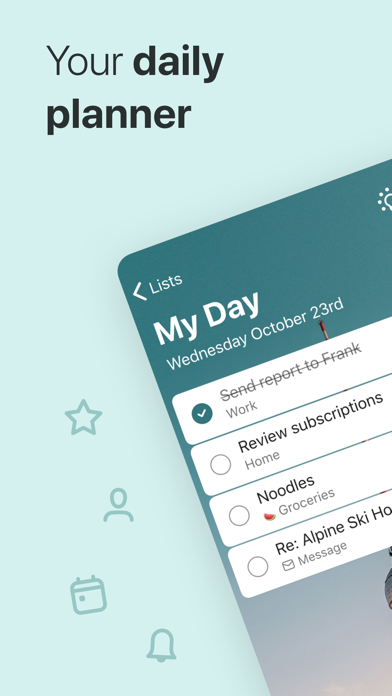
Microsoft To Do is a list manager for everyday actions, reminders and recurring responsibilities. My Day gives you a place to select what deserves attention now while retaining separate lists for other projects. Connections with Microsoft services can make it useful for someone whose commitments already arrive through Outlook.
Use the daily view as a selection of realistic work rather than a copy of every outstanding task. Break an unclear item into smaller steps, add a reminder only when it serves a purpose and review shared lists with the people using them. Account type can affect how collaboration and integrations work.
The app suits personal planning and lightweight household coordination. It does not provide the same project oversight as a dedicated team management system. Its value depends on maintaining clear tasks and checking the list regularly; simply collecting more reminders will not create additional time.
Store information checked September 15, 2026. The displayed rating is from Google Play; screenshots are from the official iOS listing, so Android screens may differ. Optional subscriptions and purchases are subject to the provider’s current terms.
Where it can help
- My Day helps separate immediate priorities from the larger backlog.
- A familiar option for people already working in Microsoft accounts.
Limitations to consider
- Limited oversight for complicated projects with many dependencies.
- Sharing and integrations can vary by account type.
Official store screenshots (3)
Publisher-provided store artwork · iOS. These are not Appadvizr test captures; versions and platforms may differ.


Official sources and installation
Appadvizr links only to official distribution channels. We never host installer files.